
New Stability AI Image Editing Services Now Available
Date: 2025-09-29
Summary
We announce the availability of 9 specialized Stability AI image editing services through our v1/images/edits endpoint. These professional-grade tools enable precise image manipulation including inpainting, object replacement, background removal, and style transfer capabilities.
Important Update: The stability.sd3-large-v1:0 model has been deprecated. Please migrate to stability.sd3-5-large-v1:0 for continued access to high-quality Stable Diffusion capabilities.
Details
Stability AI Image Editing Services
AvalAI now provides access to 9 specialized image editing services from Stability AI, designed to accelerate professional creative workflows. These services leverage advanced AI technologies to enable precise image manipulation with professional-quality results.
New Stability Services (9 Models)
Edit Services:
- stability.stable-image-inpaint-v1:0 - Intelligently fill masked areas with contextually appropriate content
- stability.stable-image-search-recolor-v1:0 - Change colors of specific objects using natural language prompts
- stability.stable-image-search-replace-v1:0 - Replace objects within images using descriptive prompts
- stability.stable-image-erase-object-v1:0 - Remove unwanted elements while maintaining background consistency
- stability.stable-image-remove-background-v1:0 - Isolate subjects from backgrounds with precision
Control Services:
- stability.stable-image-control-sketch-v1:0 - Generate detailed images from rough sketches
- stability.stable-image-control-structure-v1:0 - Maintain structural composition while changing visual style
- stability.stable-image-style-guide-v1:0 - Generate new content following a specific visual style
- stability.stable-style-transfer-v1:0 - Apply artistic styles from reference images to target content
Key Features
- Professional Quality: Enterprise-grade image editing capabilities
- OpenAI SDK Compatible: Works seamlessly with existing OpenAI client libraries
- Advanced Parameters: Fine-tune results with style presets, control strength, and negative prompts
- Multiple Input Formats: Support for images, masks, and style references
- Cost Effective: Competitive pricing at $0.040 per edited image
Endpoint Support
All services are available through the standard image editing endpoint:
POST https://api.avalai.ir/v1/images/editsUsage Examples
Basic Image Inpainting
curl -X POST https://api.avalai.ir/v1/images/edits \
  -H "Authorization: Bearer $AVALAI_API_KEY" \
  -F "model=stability.stable-image-inpaint-v1:0" \
  -F "image=@input-image-inpaint.jpg" \
  -F "mask=@mask-image-inpaint.png" \
-F "prompt=artificer of time and space"from openai import OpenAI
client = OpenAI(api_key="your-avalai-api-key", base_url="https://api.avalai.ir/v1")
with open("input-image-inpaint.jpg", "rb") as img, open(
"mask-image-inpaint.png", "rb"
) as msk:
response = client.images.edit(
model="stability.stable-image-inpaint-v1:0",
image=img,
mask=msk,
prompt="artificer of time and space",
extra_body={
"style_preset": "photographic",
"negative_prompt": "blurry, low quality",
},
response_format="url", # or b64_json
)
print(f"Edited image: {response.data[0].url}")import { OpenAI } from "openai";
import fs from 'fs';
const client = new OpenAI({
apiKey: process.env.AVALAI_API_KEY,
baseURL: "https://api.avalai.ir/v1",
});
const response = await client.images.edit({
model: "stability.stable-image-inpaint-v1:0",
image: fs.createReadStream("input-image-inpaint.jpg"),
mask: fs.createReadStream("mask-image-inpaint.png"),
prompt: "artificer of time and space",
extra_body: {
style_preset: "photographic",
negative_prompt: "blurry, low quality"
}
response_format: "url", // or b64_json
});
console.log(`Edited image: ${response.data[0].url}`);Object Recoloring
curl -X POST https://api.avalai.ir/v1/images/edits \
  -H "Authorization: Bearer $AVALAI_API_KEY" \
  -F "model=stability.stable-image-search-recolor-v1:0" \
  -F "image=@input-search-recolor.jpg" \
  -F "prompt=red jacket" \
-F "select_prompt=jacket"with open("input-search-recolor.jpg", "rb") as img:
response = client.images.edit(
model="stability.stable-image-search-recolor-v1:0",
image=img,
prompt="red jacket",
extra_body={"select_prompt": "jacket", "style_preset": "photographic"},
response_format="url", # or b64_json
)
print(f"Recolored image: {response.data[0].url}")const response = await client.images.edit({
model: "stability.stable-image-search-recolor-v1:0",
image: fs.createReadStream("input-search-recolor.jpg"),
prompt: "red jacket",
extra_body: {
select_prompt: "jacket",
style_preset: "photographic"
}
});Example Results
| Service | Input | Output |
|---|---|---|
| Inpaint | 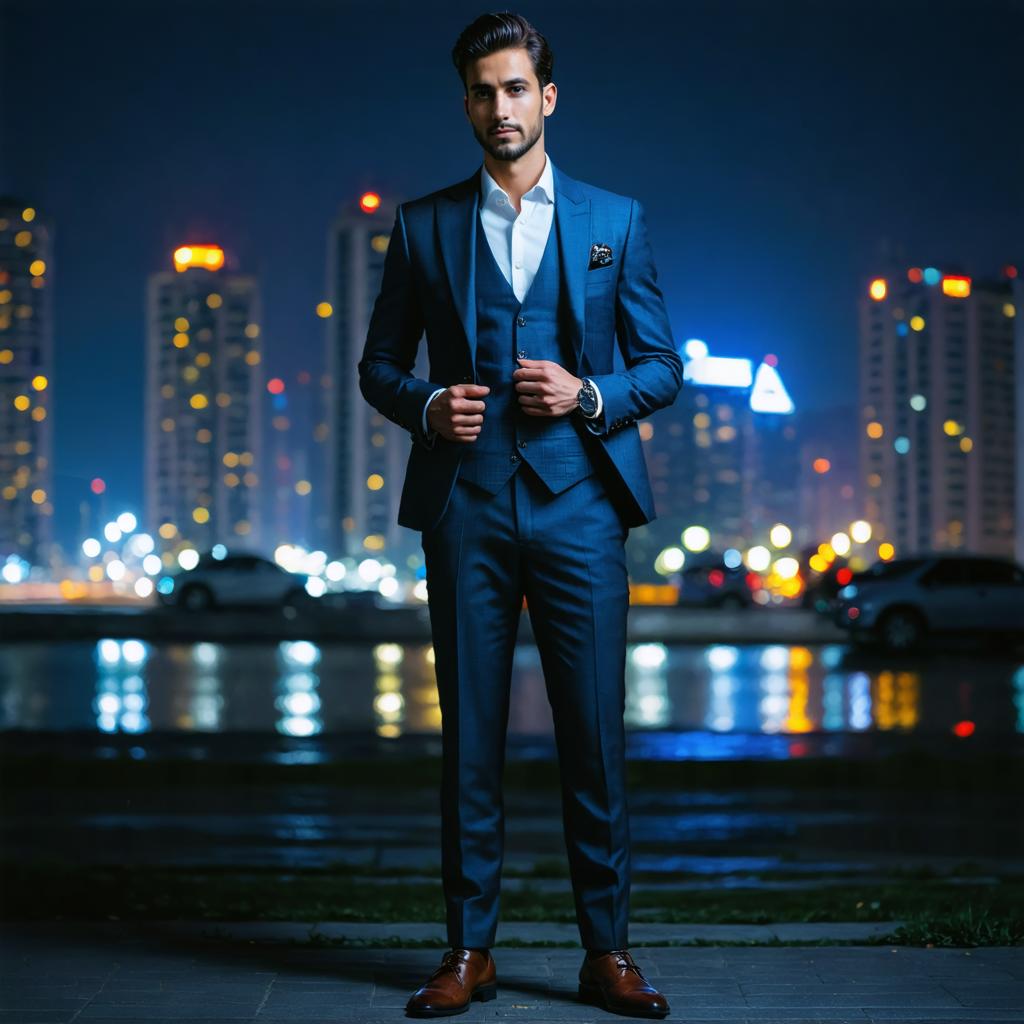 | 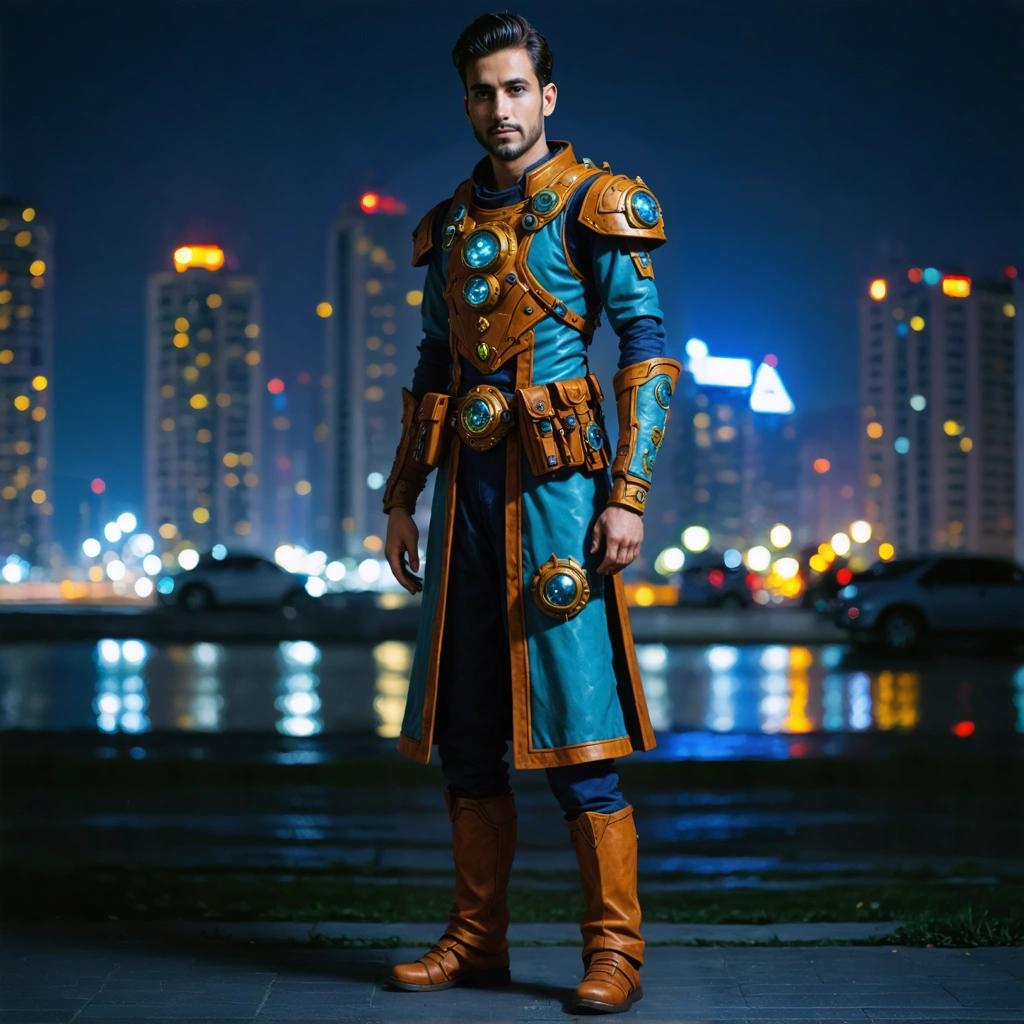 |
| Search & Recolor | 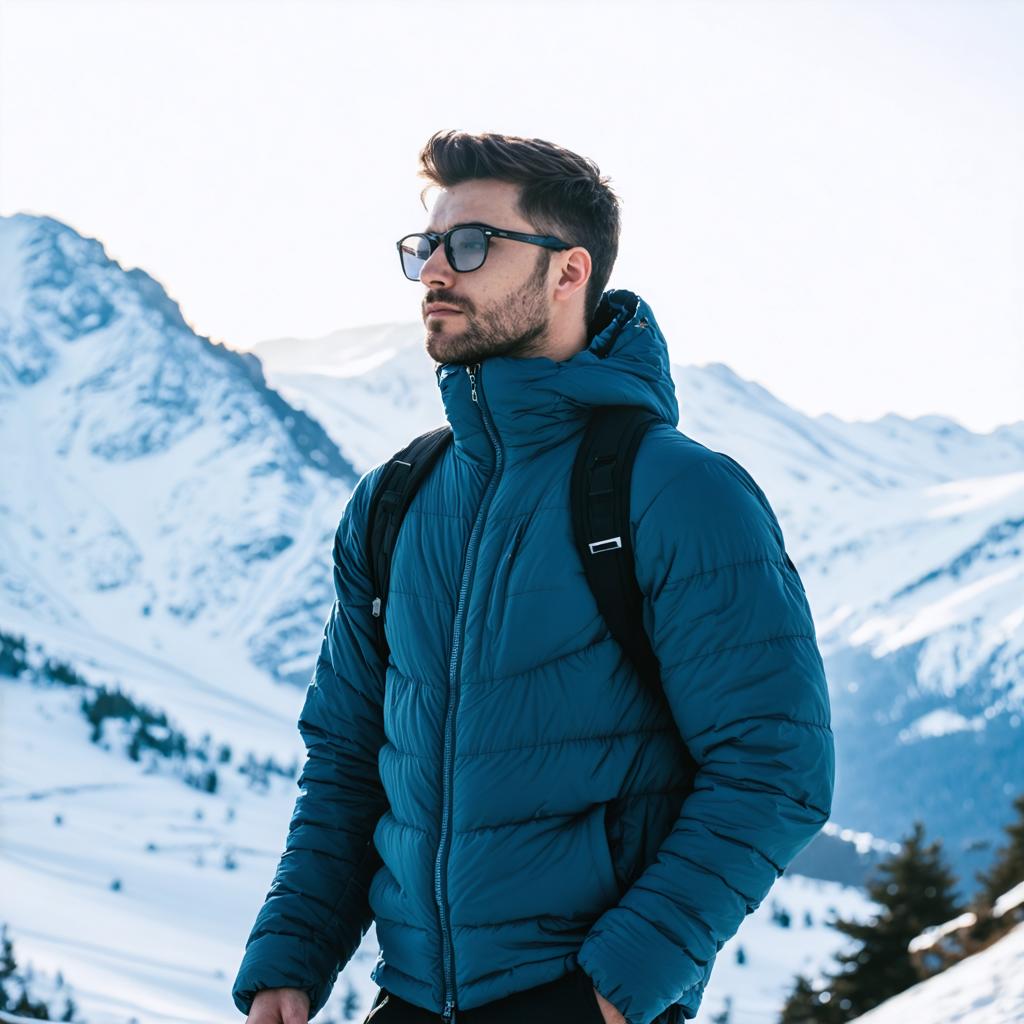 | 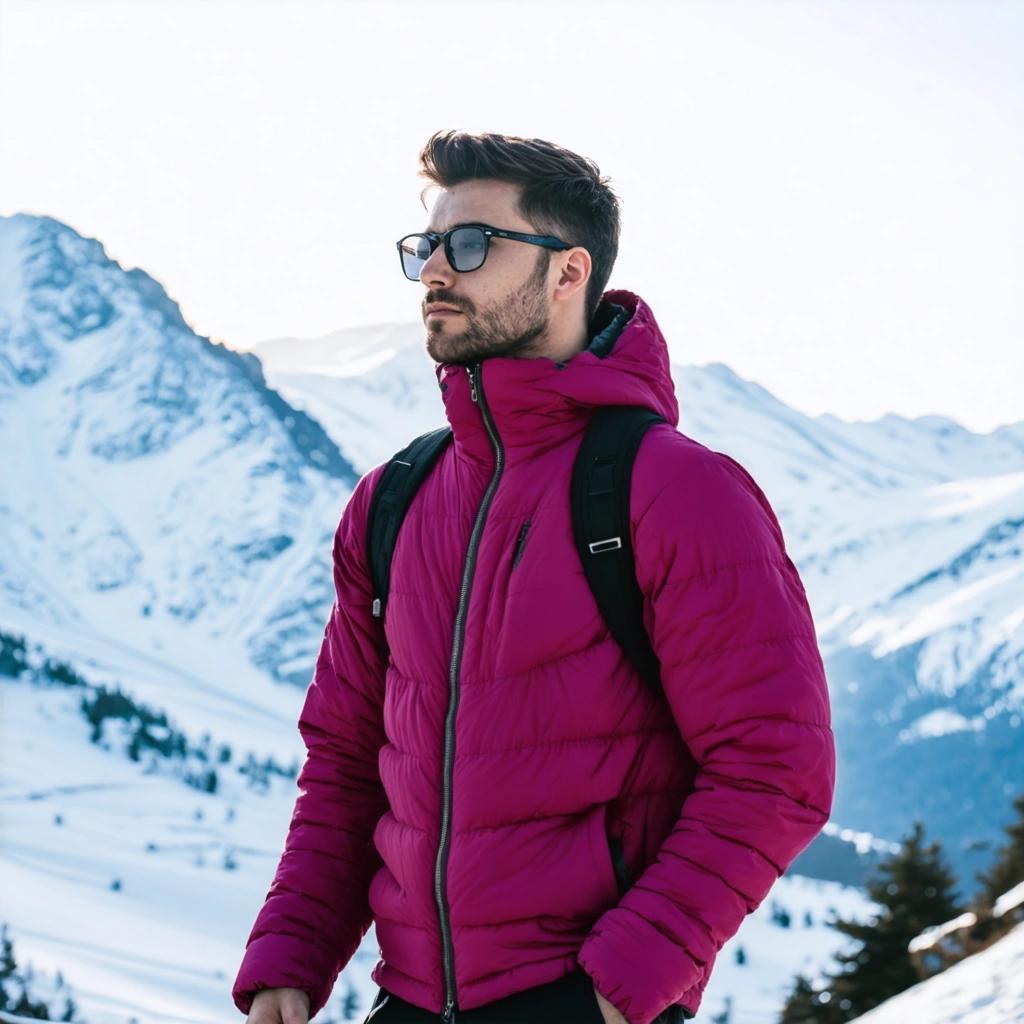 |
| Remove Background | 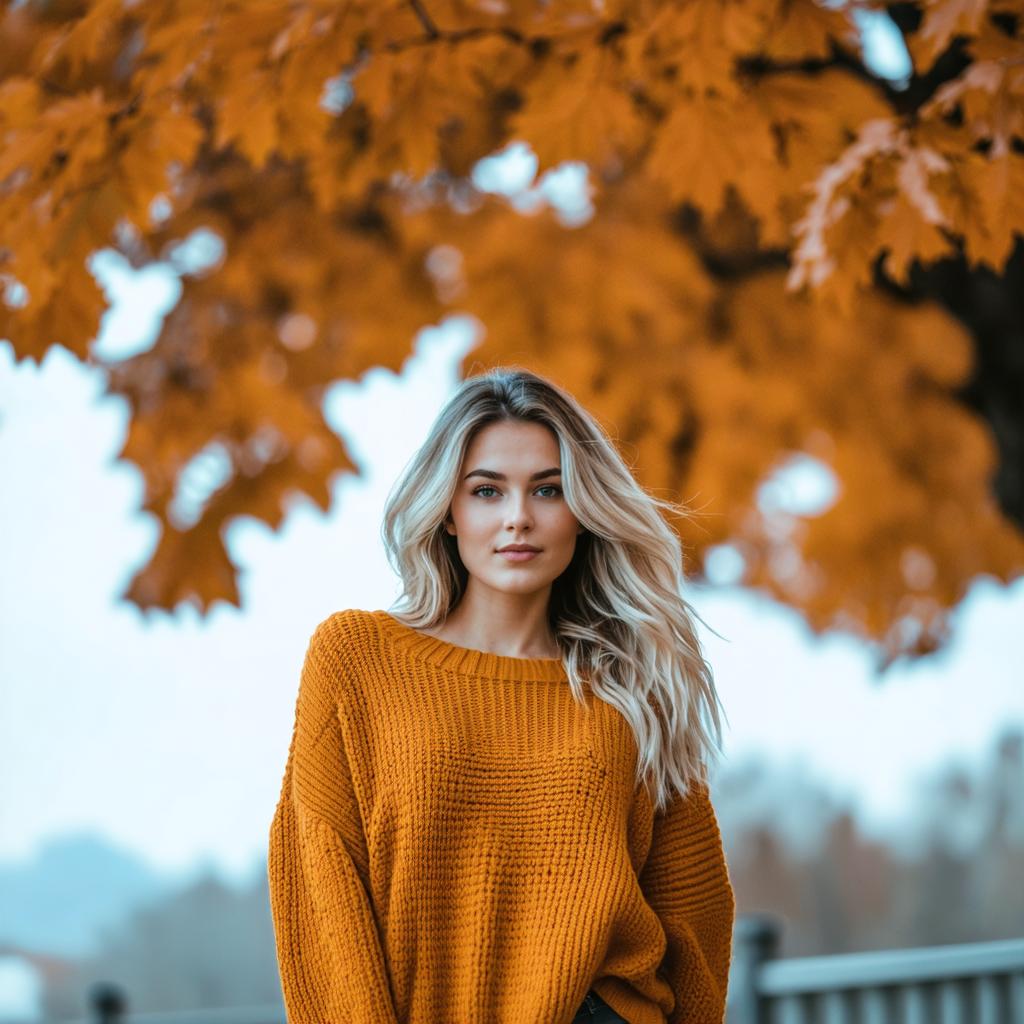 | 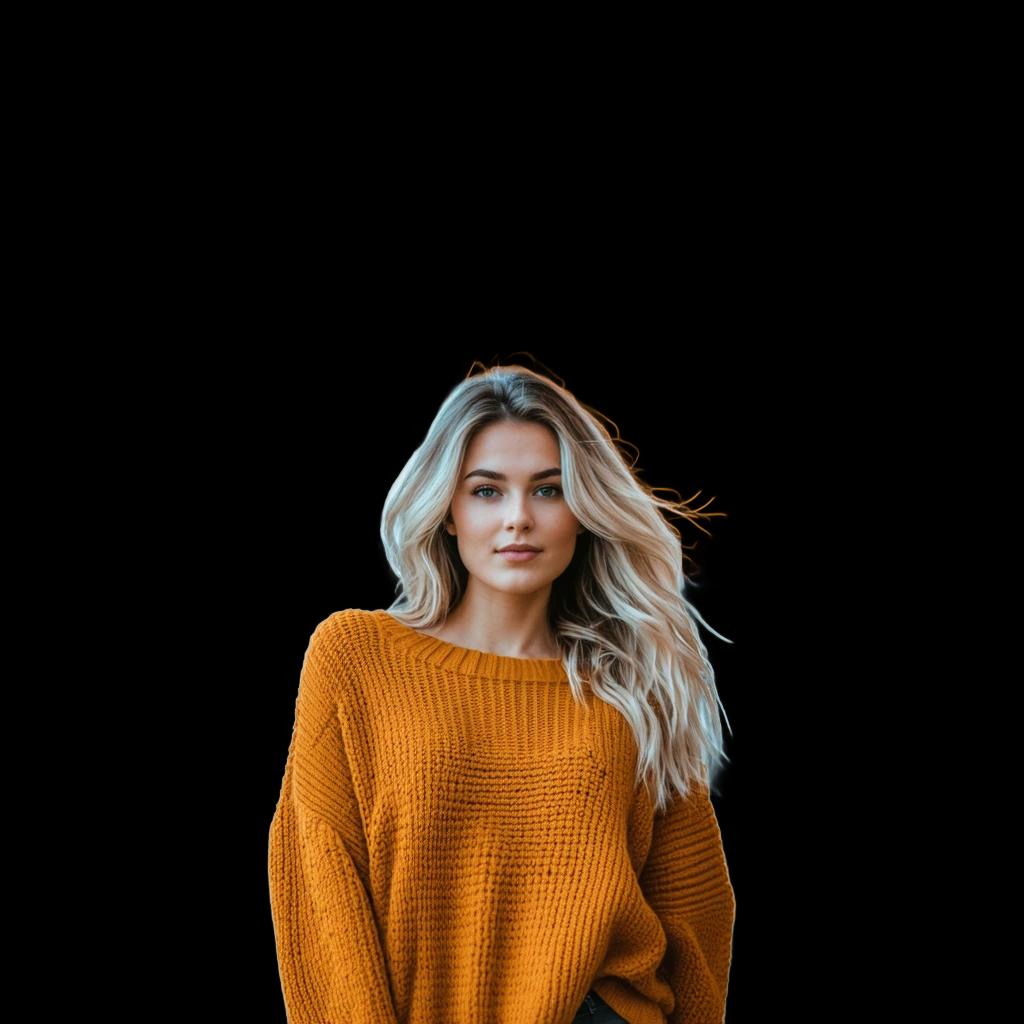 |
| Control Sketch | 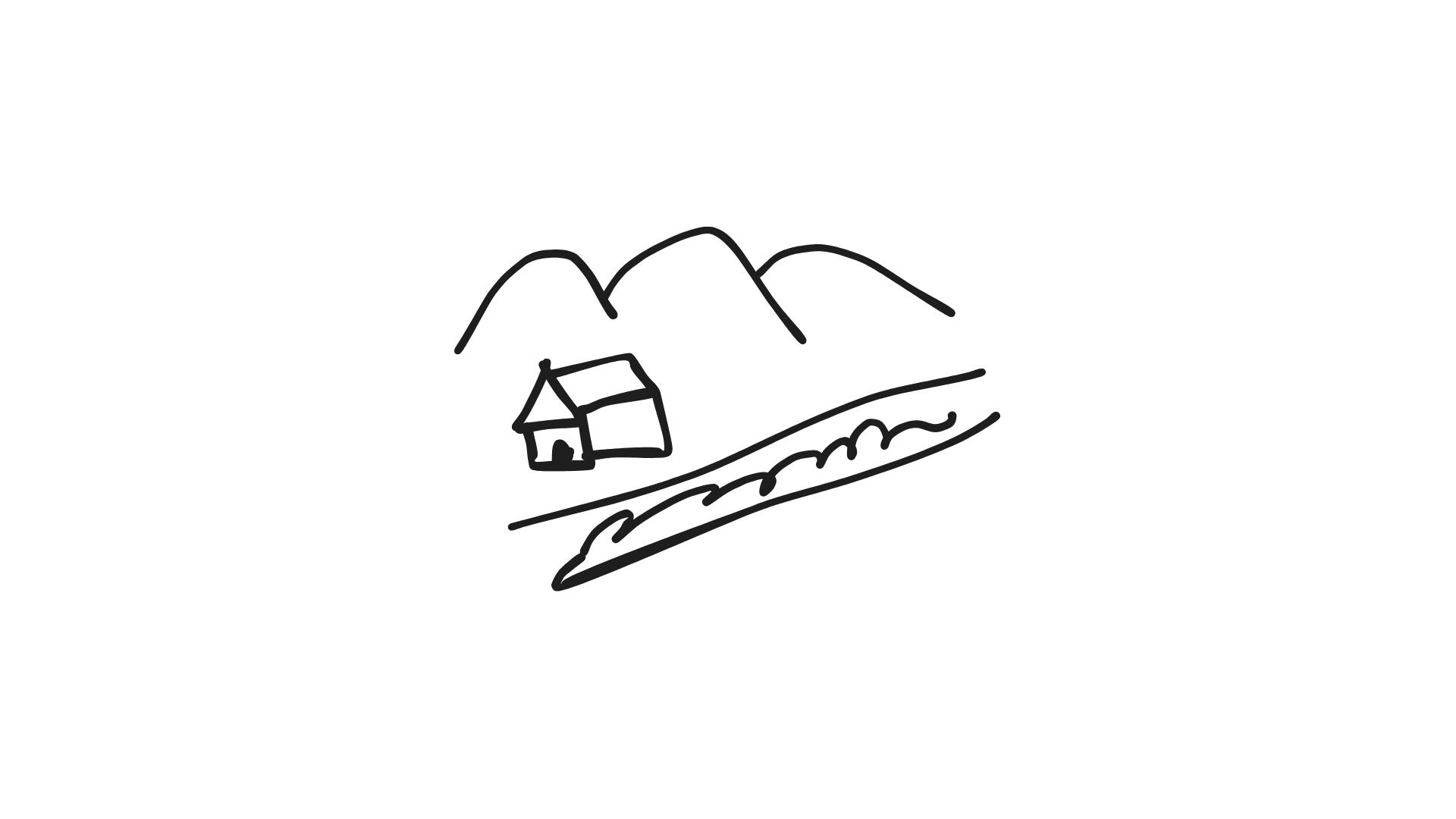 | 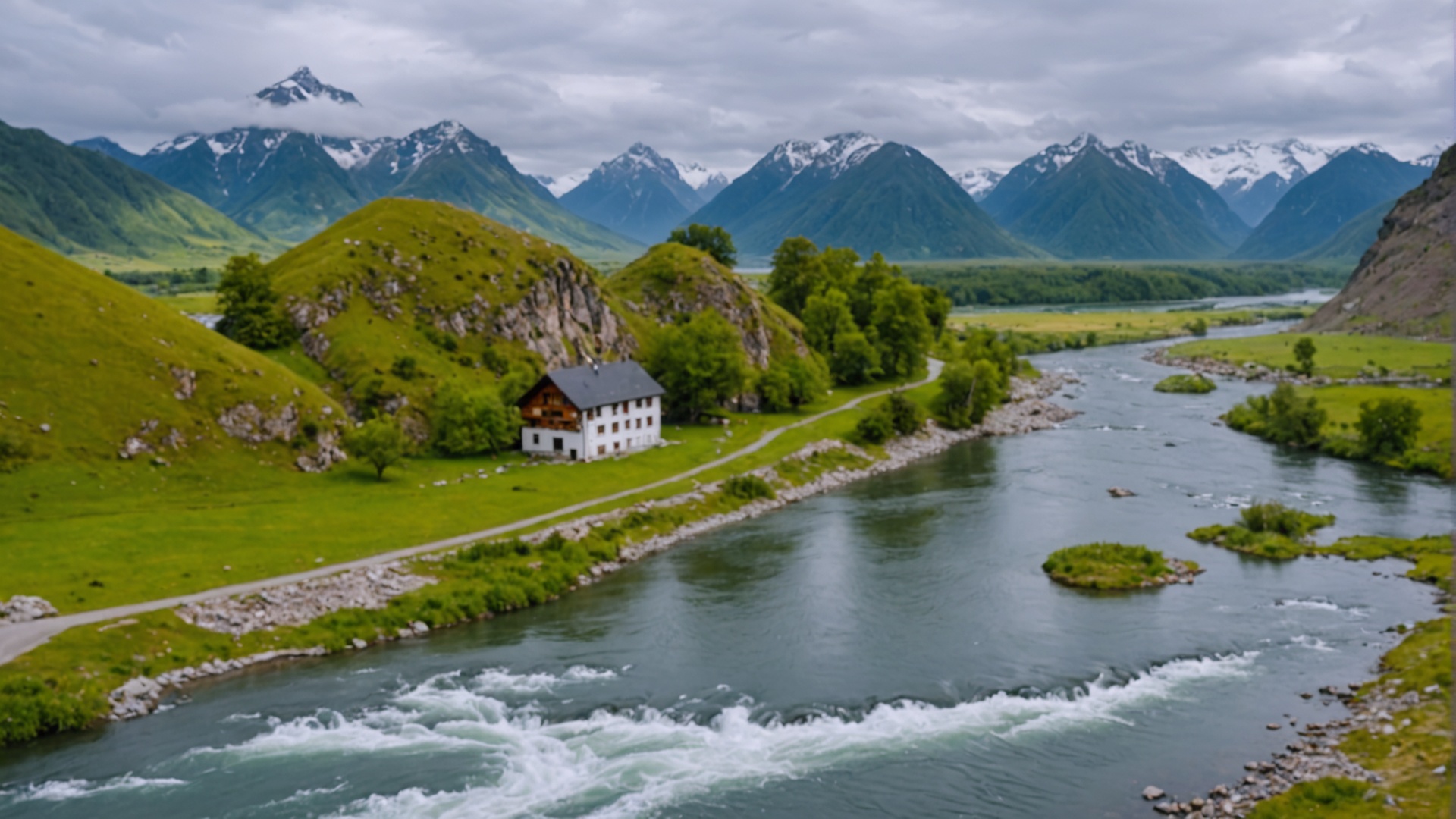 |
Advanced Parameters
All services support advanced parameters for fine-tuning results:
- Style Presets:
photographic,cinematic,digital-art,anime, and more - Control Strength: Adjust influence of input images (0.0-1.0)
- Negative Prompts: Specify unwanted elements
- Seed Values: Ensure reproducible results
- Output Formats: PNG, JPEG, WebP support
Error Handling
try:
    response = client.images.edit(
        model="stability.stable-image-inpaint-v1:0",
        image=image_file,
        prompt="Your prompt here",
        response_format="url",  # or b64_json
    )
    print(f"Success: {response.data[0].url}")
except Exception as e:
    if "filter_reason" in str(e):
        print("Content was filtered. Try a different prompt.")
    elif "invalid_prompts" in str(e):
        print("Invalid prompt detected.")
    else:
print(f"API Error: {e}")Pricing
| Service Category | Cost per Image | Best For |
|---|---|---|
| Specialized Image Services | $0.040 | Professional image editing tasks |
Technical Reference
These implementations follow the official AWS Bedrock Stability AI documentation patterns. For detailed technical specifications, refer to the AWS Bedrock Stability AI Image Services documentation.
Related Links
- Image Generation API Reference - Complete API documentation
- Image Generation Guide - Comprehensive usage guide
- Stability AI Image Editing Examples - Detailed walkthroughs
- Provider-Specific Parameters - Advanced parameter usage