
Start your first conversation in AvalAI Chat
AvalAI Chat · Last updated 20 November 2026
Goal
Ask a simple question and read the answer on the same screen. To practise, ask Chat for three questions about the water cycle for a science exam.
Before you start
Open AvalAI Chat. Sign in first if you want to return to the conversation later.
Steps
Select “Start a new conversation,” the + button.
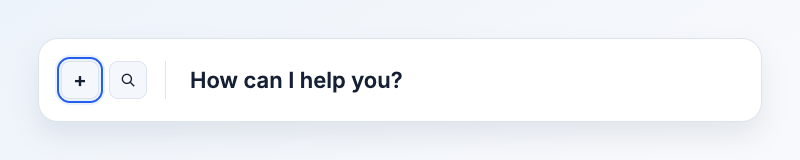
Illustration based on the development interface.
In the message box, type “Write three water cycle practice questions for a sixth-grade student.” Adding the grade level helps the AI write suitable questions.
Select “Send message.” This button appears as an arrow after you type your message.
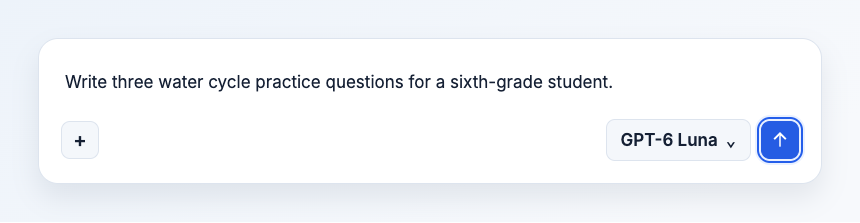
Illustration based on the development interface.
What you should see
Your message appears in the conversation, followed by the reply. If the answer is too long, send a follow-up in the same conversation asking for a shorter answer. Use “Start a new conversation” when you move to a new topic.
Common problems
- I see a microphone beside the message box. Type a message first. The “Send message” button appears when your text is ready.
- The page asks me to sign in. Sign in to your account and return to the message box.
- I don’t see a reply. Give it a moment. If the page shows an error, keep a copy of your message and open Chat questions and troubleshooting.